View my YOOtheme listing YOOtheme
Expert
Skip to main content
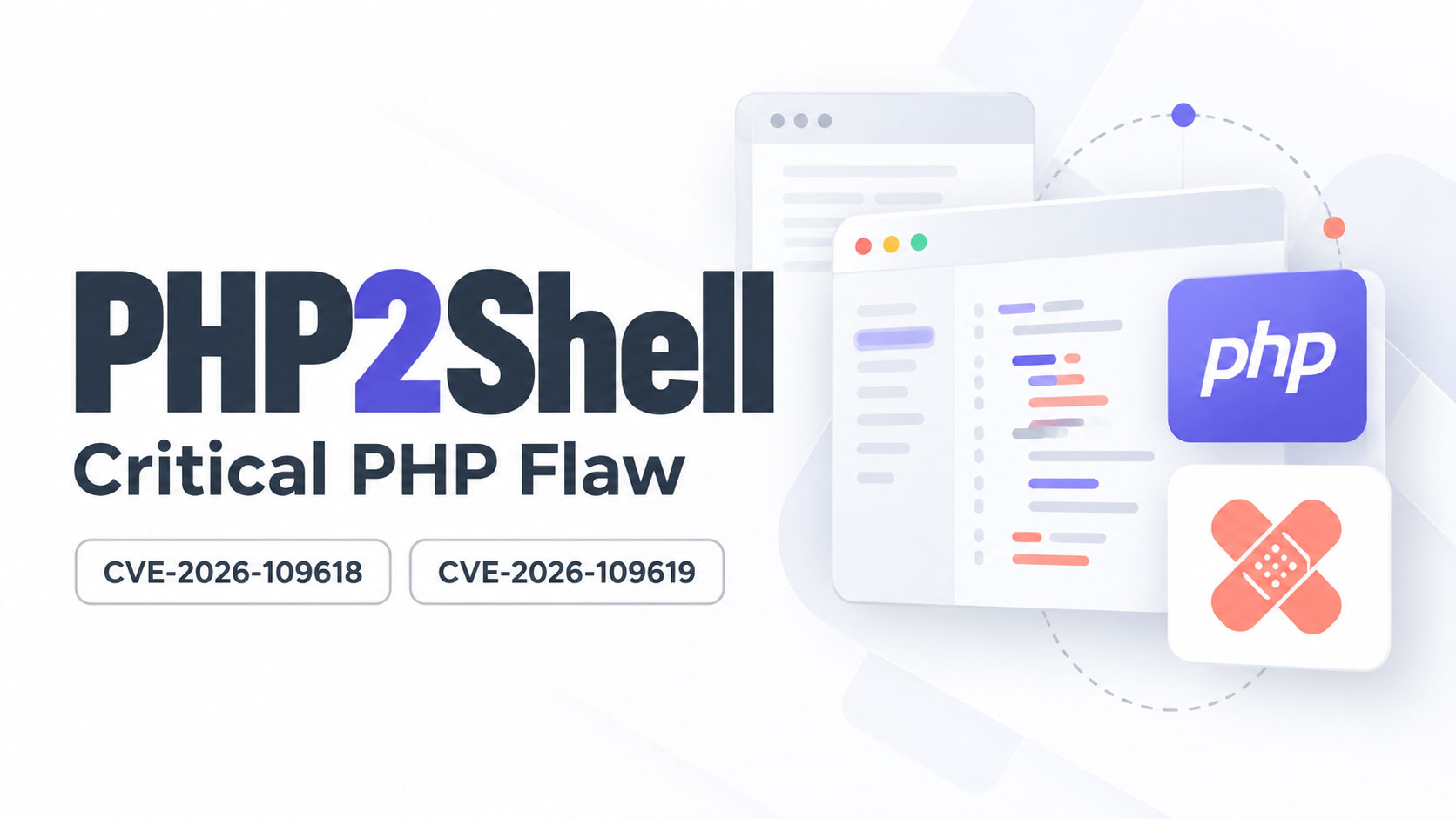
PHP2Shell: The Critical PHP Flaw - CVE-2026-109618 and CVE-2026-109619

PHP2Shell: The Critical PHP Flaw Every Website Owner Needs to Fix This Week

Yesterday I got an email from a client with the kind of news nobody in my line of work wants to see. Two critical flaws in PHP had leaked online. Attackers were already testing them. And the emergency fix was landing at 1am.

I’ve spent the time since reading every advisory I could get my hands on. This post is the plain English version. What happened, why it matters, and exactly what you need to do about it this week.

Here’s the short version. If your website runs on WordPress, WooCommerce, Joomla, Drupal or pretty much anything built with PHP, the server it sits on needs updating. Not your plugins. Not your theme. The server itself.

What actually happened

PHP is the programming language that powers a huge chunk of the web. WordPress runs on it. So do most online shops, booking systems and client portals you’ve ever used.

Back in August, security researchers at Calif and Wiz found two serious holes in PHP and reported them privately. The plan was to fix them quietly and go public on 22 October with the patch ready.

That plan fell apart on 20 October when details leaked online. The PHP team moved fast and pushed out an emergency release at 14:00 UTC on Wednesday 21 October. That’s 1am Thursday in Sydney and Melbourne, 12:30am in Adelaide, midnight in Brisbane and 10pm Wednesday in Perth.

The two flaws are tracked as CVE-2026-109618 and CVE-2026-109619. The security crowd has nicknamed them PHP2Shell. PHP’s own security team rated both Critical, 9.2 out of 10.

Why this one is a big deal

I see a lot of security alerts. Most are about one dodgy plugin or one outdated theme. This one is different, and here’s why.

  • No login needed. An attacker doesn’t need a password or an account. A single crafted request to your website can do it.
  • It hits before WordPress even loads. The flaw sits in PHP itself, so your security plugin, your maintenance mode plugin and your strong admin password don’t get a say. PHP is already compromised before any of them run.
  • It can leak secrets. One of the flaws can spill bits of the server’s memory. That can include passwords, login sessions and API keys, like the ones that connect your site to Stripe or your email service.
  • It’s been around since 2012. The vulnerable code goes back to PHP 5.4. Researchers have shown working attacks against WordPress, WooCommerce, Drupal, Joomla, Magento, Laravel, phpMyAdmin and WHMCS, all on default settings.
  • The bad guys are already on it. Cloudflare saw attack attempts hours before the fix was even released. Patchstack and watchTowr have reported attempts too. watchTowr hadn’t seen a successful one when they posted, but they expect that to change quickly.

The way I’d explain it to a client: imagine finding out every front door lock from one brand has a master key floating around the internet. It doesn’t matter how nice your door is or how many alarm stickers you’ve got on the window. You need the lock swapped.

Wiz reckons these flaws touch around 70% of all websites. Even if that number is a bit generous, it gives you a sense of the scale.

Is my website affected?

Probably, if all of these are true:

  • Your site runs on WordPress, WooCommerce or another PHP-based system
  • It’s on your own hosting (shared hosting, cPanel, a VPS, managed WordPress hosting)
  • Your host hasn’t updated PHP since 21 October

You can relax a bit if your site is on a fully hosted platform like Shopify, Wix or Squarespace. They manage their own servers, so there’s nothing for you to patch. Same goes for domains that are just parked with your registrar and don’t run a website.

How to check your PHP version

  • In WordPress: go to Tools > Site Health > Info, then open the Server section. Your PHP version is listed there.
  • In cPanel: open MultiPHP Manager. It shows the PHP version for each domain on your account.

These are the patched versions:

Your PHP branchSafe from version
8.58.5.12
8.48.4.27
8.38.3.36
8.28.2.35
8.1 and olderNo official fix. Talk to your host now.

One catch. The version number doesn’t always tell the full story. Some hosts (cPanel, CloudLinux and Plesk among them) have patched older PHP versions without changing the version number. So the only way to be sure is to get your host to confirm it in writing. Which brings me to the to-do list.

What to do this week

1. Contact your hosting provider today

If you’re on shared hosting or cPanel hosting, you can’t update PHP yourself. Your host has to do it. The good news is most of the big hosts, including SiteGround, VentraIP and Cloudloop, have already rolled out the patch. Still, reach out to your host and ask them to confirm your site is patched, just to be on the safe side.

Here’s an email you can copy and send:

Hi team,

I’m checking on the PHP2Shell vulnerabilities (CVE-2026-109618 and CVE-2026-109619) that were patched on 21 October.

Can you please confirm:

1. Has the server hosting [your domain] been updated to a patched PHP version? Which version or build is it running?
2. Have all PHP versions on the server been patched, not just the default one?
3. Were PHP services restarted after the update?

If it hasn’t been done yet, can you let me know when it will be?

Thanks,
[Your name]

Point 2 matters. Plenty of servers run several PHP versions side by side. If your site is pinned to an older version that missed the update, it’s still exposed.

2. If you can’t get it patched quickly, take the site offline

I know. Nobody wants to hear that. But a site that’s down for a day costs you a lot less than a hacked site that’s been sending spam, redirecting customers to scam pages or leaking customer details.

And a maintenance mode plugin won’t cut it here. The attack happens before WordPress loads, so the plugin never gets the chance to block anything. Taking it offline properly means a plain static holding page, or getting your host to switch PHP off for the site until it’s patched.

3. Change your passwords once you’re patched

Because one of these flaws can leak server memory, treat any passwords and keys on that server as potentially seen. Once your host confirms the patch, change:

  • Your hosting and cPanel login
  • Every WordPress admin account
  • Database and FTP or SFTP passwords
  • API keys stored in your site, like payment gateways, SMTP and email marketing tools

Do it after the patch, not before. Changing passwords on an unpatched server just gives the leak something fresh to spill.

And if any of those passwords have ever been sent to you by email (it happens a lot when a site gets handed over), this is the perfect excuse to change them anyway.

4. Look for signs someone’s already been in

You don’t need to be technical to do a basic check:

  • Any WordPress admin users you don’t recognise?
  • Any odd redirects, pop-ups or spammy pages showing up in Google?
  • Any new files in your hosting file manager you didn’t put there?
  • Any new cron jobs in cPanel?

If something looks off, don’t start deleting things. Take a full backup first, keep the logs and get someone experienced to look at it. Cleaning up a hack properly is a different job to patching.

5. Stop advertising your PHP version

Lots of servers announce their exact PHP version to anyone who asks. It’s in a hidden header that bots read all day long. It’s basically a “please try me” sign. Ask your host or developer to turn it off. There’s a quick how-to in the tech section below.

6. Cloudflare helps, but it’s not the fix

If your site sits behind Cloudflare, good. Cloudflare has pushed out firewall rules for this, and they’re available on free plans too. Some hosts running Imunify360 have done the same.

But these rules block the attacks people know about today. Attackers tweak things. A firewall is a seatbelt. Patching PHP is fixing the brakes. You want both.

For the techies

If you look after your own server, here’s the condensed version.

Fixed releases: 8.5.12, 8.4.27, 8.3.36 and 8.2.35. Everything serving web requests is in scope: PHP-FPM, Apache mod_php, php-cgi, LiteSpeed and FrankenPHP. mod_php has the highest demonstrated risk.

cPanel/WHM (EasyApache 4): update every installed ea-php version, not just the default.

dnf clean all
dnf update 'ea-php*' 'ea-apache24*'
/scripts/restartsrv_httpd
/scripts/restartsrv_apache_php_fpm
for p in /opt/cpanel/ea-php*/root/usr/bin/php; do "$p" -v | head -1; done

CloudLinux: alt-php packages under /opt/alt/ are separate from ea-php. Update both: dnf update 'alt-php*'.

Plesk: fixed EOL builds (7.4, 8.0, 8.1) keep the same version number but carry a 21 October 2026 build date. Check with php -i.

Restart, don’t reload. Running workers keep the old code in memory. mod_php needs a full Apache restart, not a graceful one. LiteSpeed users: update lsphp then kill the lsphp processes.

Don’t trust php -v alone. The CLI binary isn’t always the handler serving your site. Distro packages (Debian, Ubuntu, RHEL family) also backport fixes without bumping the version. Check the package changelog for the CVE.

Remi repo users: Remi didn’t have fixed packages on release day. Use your distro packages or build from source until it catches up.

PHP 8.1 and older: no official release. PHP published minimal source backports for 7.4, 8.0 and 8.1, and cPanel, CloudLinux, Plesk and the LTS vendors have shipped backports. Treat this as your sign to plan the upgrade to 8.3 or newer.

Interim mitigation: setting session.upload_progress.enabled = Off cuts off the main known attack path, but PHP says it isn’t the only one and watchTowr says ini changes aren’t an effective mitigation. Speed bump, not a fix.

Hide the version header: set expose_php = Off in php.ini. On shared Apache hosting you can add Header unset X-Powered-By to .htaccess. Behind Cloudflare, a response header transform rule can strip it too.

What to watch for: php-fpm, php-cgi, httpd or apache2 spawning sh, bash, curl, wget, nc, python or perl. Also new files in the web root, new cron jobs and new user accounts. Preserve logs before you clean anything.

Sources

Freelancer vs Agency

Freelance Web Developer vs Agency in Sydney

Every few weeks someone asks me a version of the same question. Should I go with a freelancer or an agency?

They usually expect me to say freelancer. I am one. But the honest answer is that both work, both fail, and the thing that actually decides it is rarely the thing people are arguing about.

So here’s the fair version, including the parts that don’t flatter me.

What agencies are genuinely good at

Let’s start with the case for the other side, because it’s a real one.

A team, not a person. Designer, developer, copywriter, SEO, ads specialist. When a project needs five skills at once and needs them this month, an agency has all five already on the payroll.

They don’t vanish. If someone quits mid-project, someone else picks up the file. Annual leave doesn’t stop your build.

Process. Briefs, timelines, QA, sign-off stages. When there are eight stakeholders and a board presentation, that structure earns its keep.

Capacity. Multi-site rollouts, a rebrand that spans print and digital, a campaign locked to a fixed launch date. That’s agency territory and I’ll say so.

If you’re a national brand with an internal marketing team and a serious budget, hire an agency. I’d tell you that to your face.

Where agencies tend to fall down

You meet the salesperson, not the builder. The person who impressed you in the pitch meeting is usually not the person writing your code. You often never meet them.

Layers. Your request goes to an account manager, who logs it, who briefs a project manager, who queues it for a developer. A ten-minute change can take a week and a half.

Turnover. Account managers move on. Every time yours does, you explain your business again from scratch.

Overheads are in your quote. Office space, sales staff, management, the coffee machine. None of it makes your website better, all of it is priced in.

Small jobs sit at the bottom of the pile. If you’re not the biggest client that month, you’ll feel it.

Where freelancers win

One conversation. You talk to the person doing the work. Nothing gets lost in translation because there’s no translation.

Speed on small things. A text change, a new page, a broken form. Message me, it’s usually done the same day.

More of your budget goes into the work. Lower overheads, fewer people to pay out of the same quote.

Continuity, if you pick well. Stay with the same freelancer for five years and they know your business, your history, why that odd redirect exists, and which plugin broke everything in 2023.

The honest problems with freelancers

This is the part most freelancers skip on their own blog. I’d rather you hear it from me.

One person is one point of failure. Holidays, illness, family emergencies. If your freelancer has no plan for that, you have no plan for that.

Breadth is genuinely hard. Plenty of excellent developers can’t write a headline. Plenty of excellent designers have never configured a mail record. A freelancer who claims to be world-class at everything is telling you something about their honesty, not their skills.

There’s a capacity ceiling. One person can only build so much at once. A twelve-site rollout with a hard deadline isn’t a solo job.

And then there’s the disappearing act. The site launches, the final invoice gets paid, and the developer evaporates. Emails unanswered. Calls unreturned. Left on seen.

That last one is the reason most people end up talking to me in the first place.

The bit almost nobody writes about: what happens after launch

Here’s what I think the whole freelancer-versus-agency debate gets wrong. It treats a website like something you buy, when a website is something you run.

Launch day isn’t the finish line. It’s the start of the actual relationship. In the first twelve months alone, all of this lands on someone’s desk:

  • The domain comes up for renewal, and the notice goes to an email address nobody has checked since 2019
  • Hosting needs paying, and eventually the site outgrows the plan it was set up on
  • WordPress core, the theme and every plugin need updating, over and over
  • Backups need running, and more importantly, need testing
  • The SSL certificate expires and Chrome starts warning visitors away
  • Google changes something and rankings drift
  • The contact form quietly stops delivering and you don’t find out for six weeks
  • Business emails start landing in spam
  • Someone leaves a review you need to respond to

Most of the sites I get called in to rescue weren’t badly built. They were just left alone. Neglect is how a good website becomes a hacked one, and it happens gradually enough that nobody notices until it’s a Saturday afternoon and the site is down.

An agency will handle all of that. They’ll also charge you a retainer for it, and you’ll still be talking to an account manager.

How I work: one contact, agency-level cover

I built my setup specifically around that gap. You get one person to call, and behind that, the same range of services you’d get from a small agency.

Under one roof:

For the pieces that need a specialist beyond me, I work with a small network of people I’ve worked with for years. You still deal with me. I just don’t pretend to be five people.

Practically, it means you send one message when something breaks, and you don’t have to work out whose fault it is first. Is it hosting, the theme, DNS, or the plugin that updated last night? Not your problem to diagnose.

On the “what if you get hit by a bus” question

It’s a fair question and you should ask it of any freelancer.

My answer: everything is in your name. Your domain, your hosting account, your Google accounts, your Meta business manager. I have access to work on them. I don’t own them. If you ever want to move to someone else, you take the lot with you and there’s no negotiation about it.

A freelancer who holds your logins hostage isn’t a freelancer. That’s a hostage situation, and it’s more common than it should be.

Questions to ask whoever you hire

Take this list to your next quote, agency or freelancer. The answers tell you more than the portfolio does.

  1. Who actually does the work, and will I speak to them?
  2. What’s covered after launch, and what’s billed separately?
  3. Whose name will the domain and hosting be in?
  4. What happens if you’re unavailable for two weeks?
  5. If we part ways, do I get my files, my database and every login?
  6. Who do I call when the site goes down on a Saturday?

Anyone who gets uncomfortable at question three or five has just answered question six for you.

So which should you choose?

Go with an agency if you’ve got an internal marketing team to manage them, a campaign running across several channels at once, a fixed launch date with real money behind it, or a procurement process that requires a company rather than a sole trader.

Go with a freelancer if you’re a small or medium business, you want one person who knows your setup, you’d rather your budget went into the work than the overheads, and you value being able to text someone and get an answer.

Either way, judge them on year two, not on the pitch. Anyone can build you a website. The question is who’s still answering the phone eighteen months later when something breaks at the worst possible time.

A few common questions

Is a freelancer cheaper than an agency? Usually, yes, because the overheads are lower. But cheap isn’t the point. A cheap site that gets neglected costs more to fix than it saved you.

Can one freelancer really cover design, development, SEO and ads? Some can, most can’t, and you should ask for examples of each rather than taking anyone’s word for it. Twelve years in, I do the ones I’m genuinely good at and bring in people I trust for the rest.

What if I already have a website and a developer who’s gone quiet? That’s a normal starting point, not an awkward one. Most of my ongoing clients came to me that way. As long as you can get access to your domain and hosting, it’s usually straightforward to pick up.

Do I have to move my hosting to work with you? No. It’s often easier if you do, but I’ll work with what you’ve got.

If you’d rather just get on with running your business

That’s the actual pitch. Not “freelancers are better than agencies”, because they’re not, always. The pitch is that your website, your hosting, your domain, your search rankings and your ads shouldn’t be six separate things you have to remember to worry about.

Hand them over and get back to work.

Get in touch or call 0410 810 380. Happy to give you a straight answer even if the straight answer is that you’d be better off with an agency.

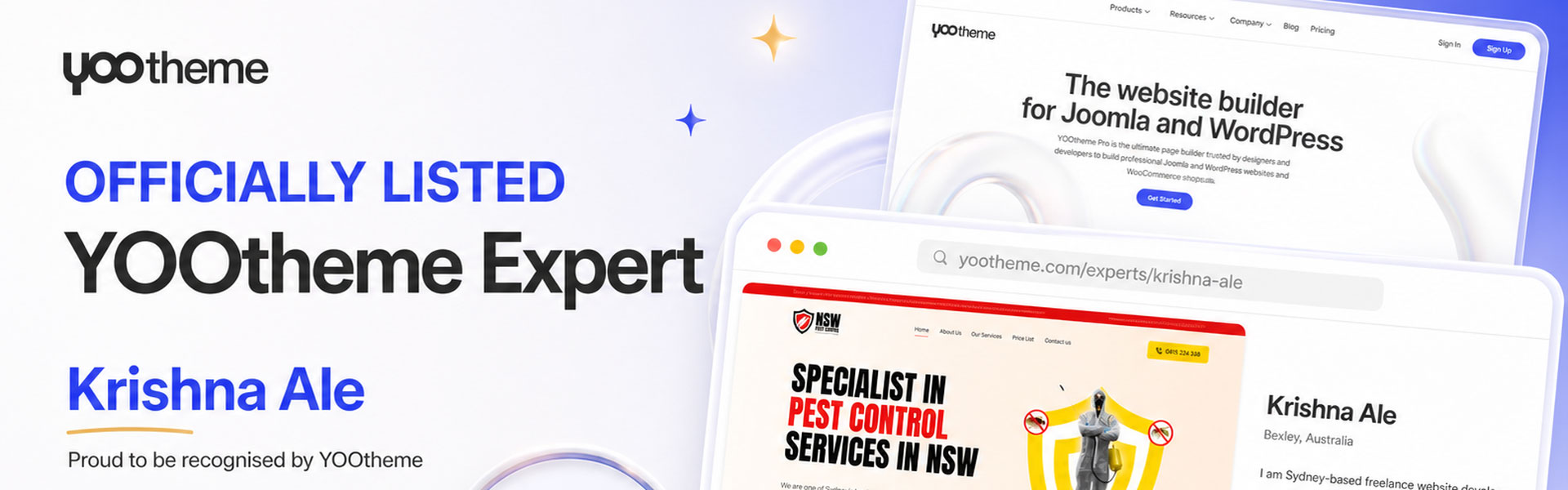
Official Recognition: I’m Now a Listed YOOtheme Expert in Australia

Official Recognition: I’m Now a Listed YOOtheme Expert in Australia

Some news I’m pleased to share: I’ve been added to the YOOtheme Experts directory — the official, curated list of developers and agencies that YOOtheme recommends to people looking to hire someone to build their website. It’s a global list, and only a small handful of the names on it are based in Australia. Mine is now one of them.

What the YOOtheme Experts directory is

YOOtheme is the company behind YOOtheme Pro, one of the most well-regarded website builders for WordPress and Joomla. Their Experts page is where they send prospective clients who’d rather hire a professional than build a site themselves — developers and agencies with a demonstrated track record on the platform.

It isn’t an automatic sign-up. The list is curated, and being on it is a signal from the people who actually make the software that the work meets their standard. To put it the way they’d put it: I’m a recommended expert in building websites with YOOtheme.

Why I build WordPress websites with YOOtheme

I’ve worked with most of the major WordPress page builders over the years. I keep coming back to YOOtheme Pro, and it comes down to a few practical reasons.

It’s fast to build with

Builds that would drag on for weeks elsewhere come together in days. The interface doesn’t fight you, the layout system is sensible, and the live preview means I’m not endlessly saving and reloading to see what changed. That speed goes straight back to my clients as shorter timelines and lower cost.

It’s easy to use — for me and for you

Ease of use matters at two separate moments. It matters while I’m building, and it matters six months later when you want to swap a photo or change a paragraph yourself. YOOtheme’s editing experience is clean enough that most of my clients handle their own small updates without needing to call me. That’s how it should be.

The sites look good

Plenty of builders produce websites that function but still look like a template. YOOtheme Pro has real design sensibility built in — proper typography, spacing that breathes, animation that isn’t tacky. Starting from a strong foundation means design time goes into making the site right for your business, rather than undoing the builder’s defaults.

Nearly everything a website needs is already in there

Sliders, galleries, filterable portfolios, pricing tables, accordions, forms, dynamic content, WooCommerce support — it ships with the lot. Fewer third-party plugins means fewer conflicts, fewer security holes, fewer things breaking on update day, and a faster site. A WordPress install carrying forty plugins is a maintenance problem waiting to happen. YOOtheme keeps that number low.

And when it doesn’t do something, I can build it

This is the part that separates YOOtheme from most builders, and it’s the reason I’m on the Experts list rather than simply a happy customer. YOOtheme Pro lets you create your own custom elements — your own builder components, with your own fields, your own markup and your own logic.

So when a client needs something the builder doesn’t ship with, I don’t tell them it can’t be done, and I don’t bolt on a plugin that only half fits. I build the element properly. It then sits inside the builder alongside everything else, and the client uses it exactly like any other component. That’s genuinely custom functionality on a standard, well-maintained foundation — a far better place to be than a bespoke site nobody else can ever maintain.

What this means if you’re looking for a web developer in Australia

Practically, it means YOOtheme are comfortable listing me as someone who knows their product well. If you’re deciding who to hand your website to, that’s one more data point alongside the work itself.

It also builds on more than a decade of hands-on work delivering custom WordPress websites, ecommerce builds and ongoing support for small and medium businesses. Based in Sydney, working with clients right across Australia — and no agency overhead, no account managers, no middlemen. You deal directly with the person building your site.

Have a look at my listing on the YOOtheme Experts directory, browse some recent work, or get in touch to talk through your project.

Crazy domains inode

Crazy Domain 100,000 inodes

In the world of web hosting, finding the right provider and package can make all the difference in the success of your website. While Crazy Domain’s 100,000 inodes package may seem appealing, it’s essential to understand its limitations. In this article, we’ll explore why 100,000 inodes can fall short for your hosting needs and recommend alternative providers like VentraIP and SiteGround that offer superior performance and flexibility. Let’s delve deeper into these options.

Understanding the Inode Limitation: Crazy Domain’s 100,000 inodes package may initially appear generous, but for websites with growing storage and dynamic content requirements, it can quickly become a hindrance. Inodes, as mentioned earlier, are data structures that store information about files and directories. The more files and directories you have, the more inodes you consume. While 100,000 inodes may be sufficient for small-scale websites, larger and more resource-intensive platforms often demand higher limits to accommodate their needs.

VentraIP: Scalability and Reliability: When it comes to scalability and reliability, VentraIP stands out as a top contender. With a range of hosting plans, including shared, virtual private servers (VPS), and dedicated servers, VentraIP offers generous inode limits that far exceed the constraints of Crazy Domain. Their hosting solutions provide the flexibility and room to grow as your website expands, ensuring uninterrupted performance even during traffic spikes.

SiteGround: Optimal Performance and Robust Features: SiteGround is another reputable hosting provider that boasts exceptional performance and a rich set of features. With their cutting-edge infrastructure, SiteGround ensures lightning-fast loading times and superb user experience. While Crazy Domain’s 100,000 inodes can hinder your website’s speed and functionality, SiteGround offers ample inode limits and advanced caching technologies to enhance performance. Moreover, SiteGround’s hosting packages come bundled with features like free SSL certificates, daily backups, and top-notch security measures to safeguard your website’s data.

Why Look Beyond Crazy Domain: While Crazy Domain’s 100,000 inodes package may have its merits, it’s crucial to consider the long-term needs of your website. As your online presence grows, so do your storage requirements and the complexity of your website. Opting for hosting providers like VentraIP and SiteGround, which offer higher inode limits, ensures your website can continue to expand without facing limitations and potential disruptions.

Conclusion: While Crazy Domain’s 100,000 inodes package may seem enticing at first glance, it may not be the best fit for websites with ambitious growth plans. To truly unleash the potential of your website, consider alternative providers like VentraIP and SiteGround that offer superior scalability, performance, and features. Don’t let inode limitations hold you back. Explore the hosting solutions offered by VentraIP and SiteGround to embark on a seamless online journey that can accommodate your evolving needs and aspirations.

Before changing providers, compare the practical checks in my guide to the best hosting companies in Australia. If inode limits are already affecting your website, contact me for help reviewing the account and planning a safe migration.

Why Digital marketing?

Why digital marketing is important?

Digital marketing is one of the most important tools that businesses can use to reach their target audiences. In a world where more and more people are using the internet to find information and make purchase decisions, it’s essential for businesses to have a strong digital marketing strategy. There are many benefits of digital marketing, including :Reach: Digital marketing allows you to reach a large audience through various online channels, including search engines, social media, email, and websites. This makes it possible to target specific groups of people based on demographics, interests, and behaviours.Cost-effectiveness: Digital marketing is often more cost effective than traditional marketing methods, as it enables you to reach a large audience without having to incur the high costs associated with print, television, or radio advertising.Measurable results: With digital marketing, it’s easier to measure the success of your campaigns and make data-driven decisions. You can track website traffic, conversions, and other important metrics in real-time, and adjust your strategies accordingly.Engagement: Digital marketing provides opportunities for two-way communication between businesses and their customers. This allows companies to build relationships, gather feedback, and provide support to customers through channels such as social media and email.Increased brand awareness: Digital marketing helps increase brand awareness by allowing businesses to reach a wider audience and promote their products and services online. This can lead to increased customer loyalty, as well as improved brand recognition and credibility.Overall, digital marketing is a crucial component of modern business strategy, as it enables companies to reach and engage with customers in new and effective ways.

For businesses competing locally, a clear SEO strategy and a properly managed Google Business Profile are two practical places to start.

Online ecommerce website

A Guide to Creating an Engaging Online Store

Your online store is the face of your business and can make or break the customer experience. A well-designed ecommerce website not only looks good but also provides an intuitive and seamless shopping experience. Here are some key elements to consider when designing your ecommerce website:
  1. User Experience: The website should be easy to navigate, with a clear and simple layout. Use high-quality images, informative product descriptions and relevant categories to make shopping easier.
  2. Mobile-Responsiveness: With more and more customers shopping on their mobile devices, it’s essential that your website is optimised for smaller screens.
  3. Security: Provide customers with secure payment options and ensure that their personal information is protected. Displaying trust badges such as SSL certificates can help to build trust with your customers.
  4. Speed: A slow website will drive customers away. Optimise your images, reduce the number of plugins and use a fast hosting service to ensure that your website loads quickly.
  5. Branding: Make sure that your brand is consistent across your website and all your marketing materials. Use your brand’s colours, fonts and logo to create a recognisable and memorable experience for your customers.
  6. Call to Action: Encourage customers to take action by using clear and prominent calls to action (CTAs) such as “Add to Cart” or “Buy Now”.
  7. Customer Support: Provide customers with easy access to customer support through live chat, phone or email. Respond promptly to customer inquiries to provide excellent customer service.
By considering these key elements, you can create an ecommerce website that provides an enjoyable and effective shopping experience for your customers.

If you need help turning these principles into a working store, explore my ecommerce web development service. For businesses building specifically on Shopify, see my Shopify development service.

Word cloud of scam related terms including fraud, forgery and deception

Web Developer Scam: How the Fake Website Job Works and How to Spot It

One morning I got what looked like a normal website enquiry. A small clothing business wanted an ecommerce site. By the second message it was obvious this was a scam, and it’s one that targets web designers and developers over and over again.

Here’s how it played out, how the scam actually works, and the red flags to watch for so you don’t get caught.

The first message

This is what landed in my inbox (their spelling and grammar, not mine):

Here is the job details, I have a small clothing business for both male and female, now am trying to expand the business and i want you to build an eCommerce website for it for advertisement. I need you to checkout this site but I need something more perfect than this if possible [link to a real clothing store]. The site would only be eCommerce, So i need you to get back to me with an estimate for the web design, The estimate should include hosting and i want the site to have not more than 15 pages since it is eCommerce. I have a private project graphic designer, he has the text content, images and the logos for the site.

It read like plenty of leads I get. A bit rough, but nothing alarming. So I replied with a time frame and a quote.

The reply that gave it away

Thanks, I’m very much satisfied with the total estimate, quite affordable. Here’s an exclusive just to show some seriousness and dedication. I am willing to pay up the sum of $1,000 as an upfront payment so that you can start making my website design. I have my credit card available for the payment. But first I want you to pay attention to this. I have been advised to take a long rest for an easy and fast recovery after my ear surgery I went through, hence the reason why I need your favor. I haven’t paid the private graphic designer that has the text content and the logo for my website, he does not have credit card facility. Regarding this fact, I will be giving you my credit card for the total of $5,300. Once the funds clears to your account $1,000 will be deducted as an upfront payment for the graphic design, $200 for yourself as tip and the remaining $4,100 will be sent to the private graphic designer that has the text content and the logo for my website.

That was it. I’d seen this exact script earlier that year. An excuse, a favour, and “I’ll pay you, but you need to pay someone else.”

How the web developer scam works

  1. A vague job with a decent budget. They point you to someone else’s website and ask for “something like this but better”.
  2. Your quote gets accepted straight away. No questions about scope, no haggling.
  3. A third party appears. Usually a “private graphic designer” or consultant who has the content and logo but can’t take card payments.
  4. They overpay you by card. Then they ask you to forward the difference to that third party by bank transfer, remittance or crypto. Often there’s a “tip” in it for you.
  5. The card is stolen. The real card holder spots the charge and disputes it. The payment gets reversed, sometimes weeks later.

By then the money you forwarded is gone and you can’t get it back. Worse, your business name is on the stolen card’s statement. To the card holder and their bank, you look like the scammer. You can also cop chargeback fees, and your payment provider may freeze or close your account.

Red flags to watch for

  • No business name, ABN, phone number or website of their own
  • A reason they can’t talk on the phone, like surgery, being hearing impaired or travelling
  • They accept your first quote without asking a single question
  • They want to pay more than your quote
  • They ask you to pay a designer, consultant or supplier on their behalf
  • They push you to act fast
  • A free email address and a message that reads like a copy and paste template

One red flag on its own might be nothing. Two or three together, walk away.

How to protect yourself

  • Never pass client money on to a third party. A real client pays their own suppliers.
  • Only take the amount on your invoice. Don’t accept overpayments, and never refund an overpayment to a different account.
  • Get on a call before quoting bigger jobs. A quick phone or video call makes most scammers disappear.
  • Check who you’re dealing with. Look up their ABN on ABN Lookup and search their business name.
  • Don’t treat “cleared” funds as safe. Card payments can be reversed well after they land in your account.

What to do if you get one of these messages

Don’t reply and don’t send anything. Report it to Scamwatch so others can be warned.

If you’ve already taken a card payment or sent money, contact your bank or payment provider straight away. You can also report it through ReportCyber. The Australian Cyber Security Centre explains how on its recognise and report scams page.

Other web designers have seen it too

This isn’t new. The same script has been doing the rounds since at least 2015, with the type of business swapped out each time. Other designers have written about it here:

Quick answers

Is it a scam if a new client wants to pay more than my quote?

Almost always, yes. Especially if they then ask you to send the extra to someone else. Real clients don’t overpay on purpose.

Why would a scammer pay me at all?

They aren’t paying you. They’re using a stolen card. The goal is to get you to send your own money to them before that payment is reversed.

What if I’ve already sent money?

Call your bank straight away and ask them to try to stop or recall the transfer. Then report it to Scamwatch and ReportCyber.

More on scams and genuine projects

Scammers keep changing their methods. My guide to the fake Cloudflare verification scam covers another threat that can affect both website owners and visitors. If you’re after a genuine online store, my ecommerce web development service explains the work I offer.

Secret Link